3.6 KiB
| layout | title | description | keywords | author | nav | category | image | twitterdescription |
|---|---|---|---|---|---|---|---|---|
| default | Compare HAR files. | Compare your HAR files to easier find regressions. | compare, documentation, web performance, HAR | Peter Hedenskog | documentation | compare | https://www.sitespeed.io/img/sitespeed-2.0-twitter.png |

Compare HAR files
{:.no_toc}
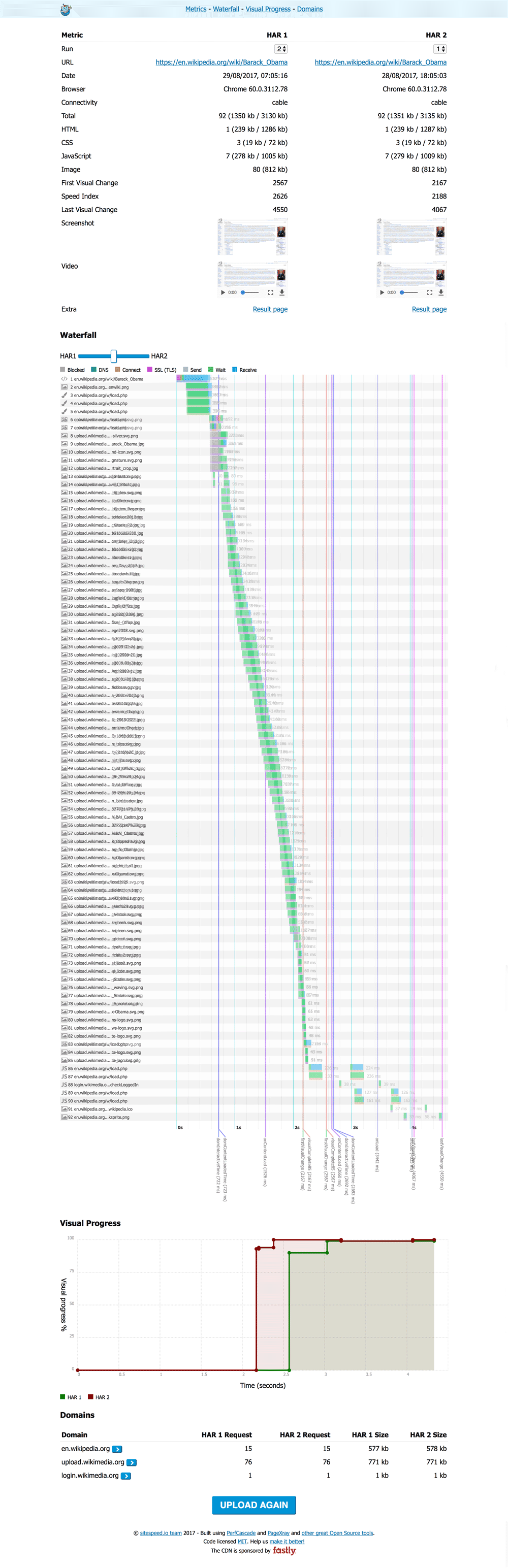
Make it easier to find regressions by comparing your HAR files. Test it out https://compare.sitespeed.io or look at the video.
First: Shout out!
We couldn't built compare without the support or inspiration from the following people:
- Thank you Michael Mrowetz for creating PerfCascade (the SVG HAR waterfall viewer).
- Thank you Patrick Meenan . Pat has built the HAR compare viewer in WebPageTest that inspired us to the idea with the slider.
If you like our project, please give them also some extra love :)
Comparing
How it works
As long as your HAR files follow the HAR specification you can use them in Compare. Standard HARs will give you some basic functionality and HARs from WebPageTest and sitespeed.io will give you more.
HARs from Firefox/Chrome/Safari (and other browsers).
For all HARs we will show the waterfall (using PerfCascade) and statistics for the page (using PageXray).
WebPageTest
If you add a WebPageTest HAR we will show SpeedIndex and FirstVisualChange and if you used Chrome to collect CPU stats, we will show that too. You will get some extra sugar if your HAR is from WebPageTest! Do you have something else that we should add? Create an issue or send a PR!
sitespeed.io/Browsertime
If you want even more sugar, you should use HAR files from sitespeed.io or Browsertime: SpeedIndex, FirstVisualChange, LastVisualChange and a graph for VisualProgress.
If you deploy your result from your sitespeed.io run to a server and use --resultBaseURL when you run sitespeed.io, we will also pickup the screenshot, video and a link to the result page.
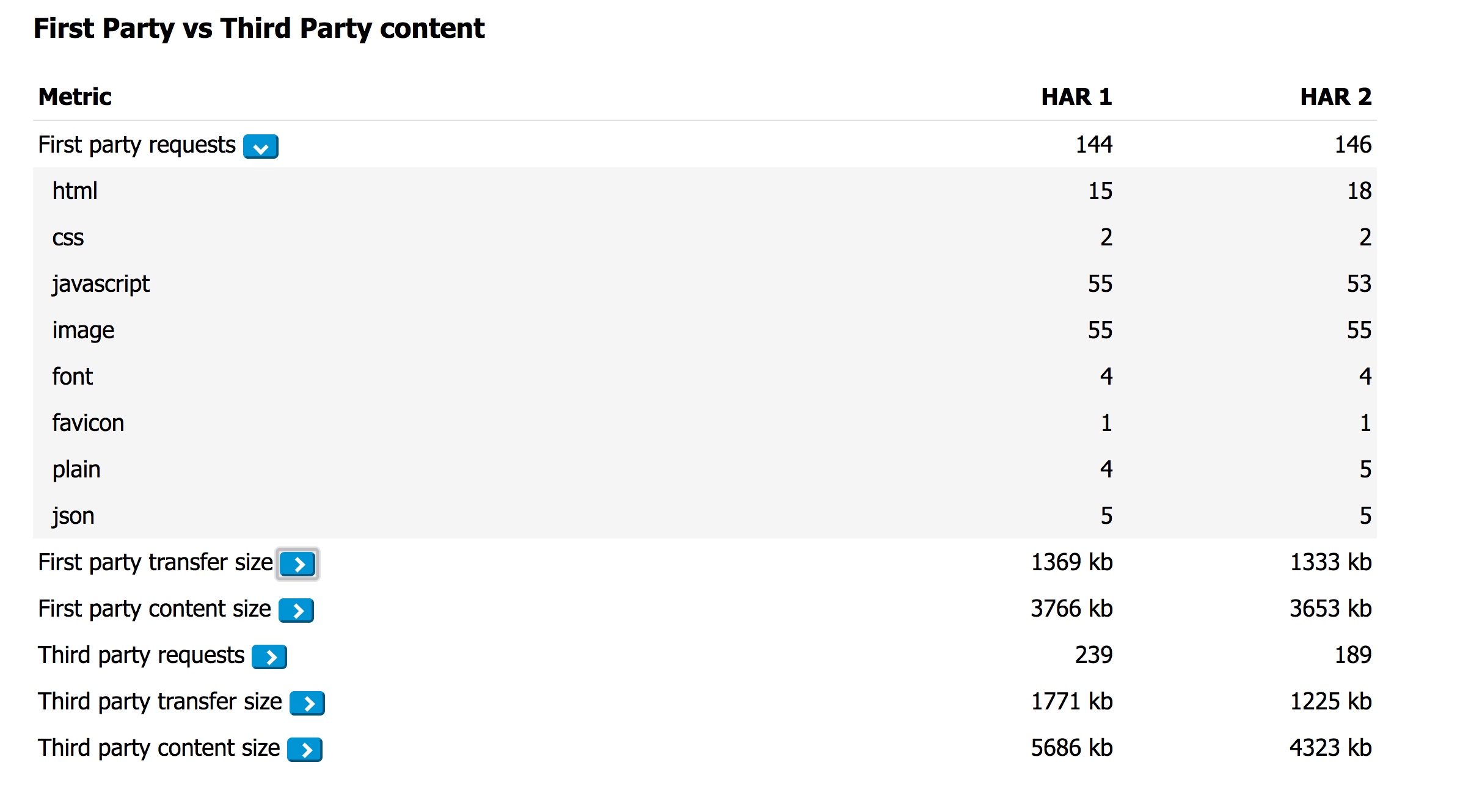
If you also run with --firstParty (adding a regex that show which assets that are first/third parties) we will will show data grouped by party.
How to use it
You can either upload two HAR files (drag/drop) or give the URL to two URLs hosted online.
If you host your sitespeed.io result pages, you can copy/paste the URL to a page or to a specific run and Compare will automagically find the URL to the HAR file.
How to contribute a.k.a what are we looking for?
Send us a PR/create an issue. If you have big change coming up, please discuss it with us in an issue first.
Deploy your own version
Deploying your own version is easy:
- Clone the repo:
git clone git@github.com:sitespeedio/compare.git - Build:
cd compare && npm run build - Copy everything in build/ to your server
Be kind
If you deploy your own version: please keep the original logo and the link to the project. We have spent a lot of our free time to work on this!